Why Does My Toaster Burn Toast on Lowest Setting? Causes & Fixes

Toaster Burns Toast on Lowest Setting
If your toaster burns toast even on the lowest setting, it’s usually due to a malfunctioning thermostat, dirty heating elements, or incorrect bread type. Simple steps like cleaning your toaster, adjusting bread placement, or checking the appliance’s age can fix the issue without buying a new one.
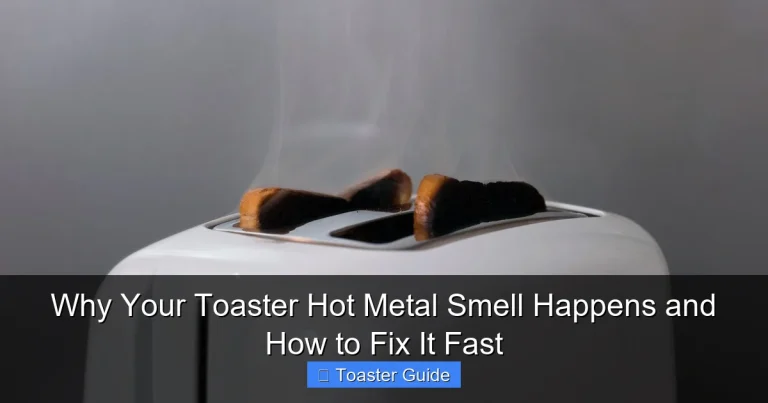
Burnt toast when using the lowest toaster setting is a common frustration in many kitchens. It’s confusing because you expect the lowest setting to produce lightly toasted bread, not blackened slices. This can waste food, cause smoke, and even pose safety risks. The good news? You don’t have to toss your toaster or your bread. There are practical steps to diagnose why your toaster burns toast on the lowest setting and fix it easily. In this guide, I’ll walk you through why this happens, how to troubleshoot, and tips to get perfect toast every time—no guesswork involved.
Why Does a Toaster Burn Toast on the Lowest Setting?
Understanding why your toaster burns toast even at its gentlest setting helps you address the root problem quickly. Several common causes lead to this issue:
- Faulty Thermostat or Temperature Sensor: The toaster’s thermostat controls how long and how hot the heating elements get. If it’s broken or miscalibrated, heat won’t be regulated properly.
- Dirty or Damaged Heating Elements: Crumbs, grease, or debris inside can cause uneven heating or hotspots that burn toast.
- Incorrect Bread Type or Thickness: Thicker or denser bread takes longer to toast and may burn on the outside before the inside is done.
- Old or Worn Out Toaster: Over time, wear and tear can impair heating control.
- Electrical Issues: Voltage fluctuations or wiring problems can cause inconsistent heat output.
Most of these issues are fixable at home with simple cleaning, adjustments, or minor repairs. If your toaster is brand new and acting this way, it might be a manufacturing defect or design flaw.
Step-by-Step: Diagnosing and Fixing a Toaster That Burns Toast on Lowest Setting
Follow these practical steps to troubleshoot and correct your toaster’s overheating problem:
1. Unplug and Inspect Your Toaster
Safety first: always unplug your toaster before any inspection or cleaning. Look inside the slots for any build-up of crumbs or foreign objects that could cause uneven heating.
2. Clean Your Toaster Thoroughly
Crumbs stuck in the heating elements can cause hot spots. Use the following cleaning steps:
- Remove the crumb tray (usually at the bottom) and empty it.
- Use a soft brush or compressed air to dislodge crumbs inside the toaster slots.
- Wipe exterior surfaces with a damp cloth and mild soap.
- Allow the toaster to dry completely before plugging it back in.
Regular cleaning prevents overheating and burning issues. For detailed guidance, refer to your Breville toaster user manual.
3. Check the Bread Type and Thickness
Different breads toast differently. Thick artisan bread, bagels, or frozen bread require different settings and times. Try thinner slices or standard sandwich bread to test if the problem persists.
Some toasters have specific settings for bagels or frozen bread—use those when applicable. Adjusting your bread choice can prevent burning.
4. Test the Toaster on Different Settings
Try toast on the lowest, medium, and highest settings to see if the problem is consistent or isolated. If the toaster only burns on the lowest setting, the thermostat or control dial may be malfunctioning.
5. Examine the Control Dial and Thermostat
If you’re comfortable with basic appliance checks, you can test if the control dial is sticking or if the thermostat is faulty. A multimeter can check for electrical continuity in the thermostat. Otherwise, a repair technician might be needed.
6. Consider Age and Warranty
Older toasters often lose precise temperature control. If yours is more than 5 years old, replacement might be more practical than repair. Check if your toaster is still under warranty for a possible replacement.
Common Mistakes That Cause Burnt Toast on Low Settings
Many people overlook some simple errors that can cause burnt toast even at low settings. Avoid these common pitfalls:
- Not cleaning crumbs regularly: Ignoring crumb buildup leads to hotspots.
- Using the wrong bread type or frozen bread without thawing: This creates uneven toasting.
- Setting the toaster dial inaccurately: Some dials are not precise and require experimenting.
- Ignoring toaster malfunctions: Continuing to use a faulty toaster can cause ongoing problems.
- Overcrowding the toaster slots: Inserting bread too close to heating coils or other slices can cause burning.
Pro Tips for Perfect Toast Every Time
Here are some expert tips to avoid burnt toast and get consistent results:
- Use fresh, evenly sliced bread: Consistency matters for even toasting.
- Adjust settings incrementally: Start low and increase until you find your ideal toast color.
- Clean crumb trays weekly: This simple step improves performance and safety.
- Don’t leave the toaster unattended: This reduces risk of burning or fire.
- Test with different brands: Some toaster brands handle heat differently.
- Allow the toaster to cool between uses: This prevents overheating and prolongs life.
How to Maintain Your Toaster to Prevent Burning Issues
Good maintenance is the key to a long-lasting toaster that toasts evenly. Follow these maintenance tips:
- Regular Cleaning: Remove crumbs and wipe down after every few uses.
- Check for Damage: Inspect cords, plugs, and heating elements for wear.
- Store Properly: Keep the toaster in a dry, clean place away from dust.
- Avoid Moisture: Don’t insert wet bread or use near water to prevent electrical damage.
- Follow Manufacturer’s Instructions: Always consult your toaster’s manual for specific care tips. For example, the Cuisinart toaster user manual has detailed care instructions.
Pros and Cons of Repairing vs. Replacing Your Toaster
| Option | Pros | Cons |
|---|---|---|
| Repairing Your Toaster |
|
|
| Replacing Your Toaster |
|
|
Understanding Toaster Settings and Temperature Control
Most toasters have a dial or button system to adjust toast darkness. But these controls vary widely in precision and design. Here’s what you need to know:
- Settings 1-3: Usually for light toast or warming.
- Settings 4-6: Medium toast for most breads.
- Settings 7-9: Dark toast or specialty bread like bagels.
Some toasters use digital controls or preset modes for bagels, frozen bread, or defrosting. These can help avoid burning when used correctly. The Philips appliance support page provides insight into advanced toaster settings.
Temperature control works through an internal thermostat or sensor that stops heating once the timer reaches the set toast level. If this sensor fails, your toast may burn even on low settings.
Energy Efficiency and Safety Tips for Toaster Use
Using your toaster efficiently saves energy and reduces fire risk. Follow these simple tips:
- Don’t toast empty slots: Only toast when bread is inserted.
- Unplug after use: Prevents phantom energy use.
- Use Energy Star rated toasters: These meet efficiency guidelines. See Energy Star efficiency guidelines for more info.
- Keep toaster away from flammable materials: Avoid curtains or paper nearby.
- Check your toaster regularly for damage: Frayed cords or cracks are hazards.
Frequently Asked Questions (FAQ)
1. Why does my toaster burn toast even on the lowest setting?
This usually means the toaster’s thermostat or temperature control is malfunctioning, causing the heating elements to stay too hot. It can also be due to crumb buildup creating hotspots or using dense bread that requires different settings.
2. Can I fix a toaster that burns toast on low settings myself?
Often yes. Start by unplugging and cleaning the toaster thoroughly, especially the crumb tray and heating elements. If the problem persists, testing the thermostat or consulting a professional might be needed.
3. Is it better to repair or replace a toaster that burns toast on low?
If the toaster is older than 5 years or has multiple issues, replacing is usually more cost-effective. For newer models, minor repairs or cleaning can solve the problem.
4. How often should I clean my toaster to avoid burning?
Cleaning your toaster once a week or after every 5–10 uses helps prevent crumb buildup that causes uneven heating and burning.
5. Does the type of bread affect burning on low settings?
Yes, thicker or denser bread tends to require longer toasting times and can burn if settings aren’t adjusted. Using thinner slices or adjusting settings for specific bread types helps.
6. Can electrical issues cause my toaster to burn toast?
Yes, voltage fluctuations or damaged wiring can cause inconsistent heating. If you suspect this, have the toaster inspected or replaced.
7. What safety precautions should I take when using a toaster?
Always unplug when not in use, clean regularly, avoid inserting metal objects, and never leave the toaster unattended while operating. Follow manufacturer instructions closely for safety.
Conclusion
Burning toast on the lowest toaster setting is a frustrating but often solvable issue. By understanding the causes—ranging from dirty heating elements to faulty thermostats—you can take practical steps to diagnose and fix the problem without stress. Regular cleaning, mindful bread selection, and proper toaster maintenance go a long way to ensure perfect toast every time. If your toaster is old or consistently problematic, replacing it with a newer, energy-efficient model might be the best choice for safety and performance. Remember to always follow manufacturer guidelines and safety tips to get the most reliable and enjoyable toaster experience in your kitchen.