Why Your Toaster Screen Shows Error and How to Fix It Fast

If your toaster screen shows error, it can be frustrating and confusing. This guide explains common reasons behind toaster errors and offers simple, fast solutions to fix them so you can enjoy perfect toast again. Whether it’s a sensor glitch, stuck crumb tray, or wiring issue, we cover practical tips to troubleshoot and repair your toaster effectively.
Key Takeaways
- Toaster screen errors often indicate sensor or electrical problems: These can be caused by crumbs, moisture, or wiring faults.
- Cleaning the crumb tray and interior regularly helps prevent errors: Built-up debris frequently disrupts sensor function.
- Resetting or unplugging the toaster can clear temporary glitches: This is a quick first step before deeper troubleshooting.
- Check for mechanical blockages or stuck levers: Physical jams can trigger error messages on the screen.
- Consult the user manual for specific error codes: Different brands assign unique meanings to error displays.
- When in doubt, professional repairs or replacement might be necessary: Especially if electrical components are faulty.
- Preventive care and proper use extend toaster lifespan: Follow recommended cleaning and usage tips.
📑 Table of Contents
Why Does My Toaster Screen Show Error?
It’s annoying when your toaster’s screen suddenly flashes an error code or message. You expect a simple appliance to toast your bread, not display confusing symbols! But modern toasters with digital screens use sensors and microchips to control toasting precisely. When something goes wrong, they alert you with an error display.
Common causes include sensor malfunctions, electrical glitches, or even physical blockages inside the toaster. Sometimes crumbs or moisture interfere with the internal circuits. Other times, the toaster’s mechanical parts get stuck or worn out. Understanding these causes helps you quickly diagnose and fix the issue.
How Digital Toaster Screens Work
Many newer toasters have LCD or LED displays that show toasting progress, settings, and errors. These screens connect to sensors and a control board inside. If the sensors detect something unusual—like overheating, stuck toast, or electrical faults—the screen will show an error code or symbol.
This smart tech aims to prevent damage or fire hazards by alerting you early. But it can also cause confusion if you’re unsure what the error means or how to fix it.
Common Reasons Behind Toaster Screen Errors
Let’s break down the typical causes that make your toaster screen show error messages:
1. Crumb Buildup and Debris
Crumbs are the silent toaster enemy. When crumbs accumulate inside, especially near sensors or heating elements, they can block signals or cause overheating. Moist crumbs mixed with grease may even trigger moisture sensors.
Regularly cleaning your toaster’s crumb tray and interior can prevent these errors. For detailed cleaning advice, check out our guide on how to clean a toaster the ultimate effortless guide.
2. Electrical or Wiring Issues
Faulty wiring inside the toaster can cause sensor failures or short circuits, which the screen detects as errors. Power surges or old age might damage internal components too.
Unplugging the toaster for a few minutes and plugging it back in sometimes resets the electronics and clears the error. If problems persist, professional repair is advisable.
3. Mechanical Blockages or Stuck Components
Sometimes toast can get stuck, or the lever mechanism jams. This physical blockage stops the toaster from completing its cycle, triggering an error on the screen. Inspect the toaster slots and lever area carefully.
4. Sensor Malfunctions
Sensors that detect toast darkness, temperature, or position can fail or get dirty. When they send incorrect signals, the control board shows an error to prevent burning or malfunction.
5. Overheating or Safety Shutdowns
Toasters have built-in safety features to avoid fires. If the toaster overheats due to prolonged use, blocked vents, or damaged parts, the screen will warn you with an error code or flashing light.
How to Quickly Fix Toaster Screen Errors
Don’t panic when you see an error on your toaster screen. Many fixes are simple and fast. Let’s walk through practical steps to troubleshoot and repair your toaster.
Step 1: Unplug and Reset
Always start by unplugging the toaster for at least 5 minutes. This resets the internal electronics and can clear temporary glitches causing the error display.
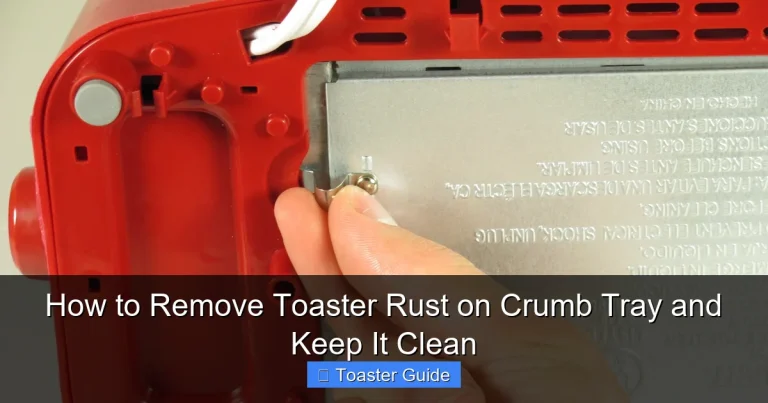
Step 2: Clean the Crumb Tray and Interior
Remove the crumb tray and shake out all crumbs. Use a soft brush or cloth to clean inside the slots gently. Avoid using water on electronics.
For easy cleaning tips, our article on how to clean toaster tray easy effective must have tips is a great resource.
Step 3: Check for Jammed Toast or Blockages
Look inside the toaster for stuck bread or debris. Use wooden or plastic tools to gently dislodge anything caught inside. Never use metal objects to avoid electrical shock.
Step 4: Inspect the Cord and Plug
Examine the power cord for frays or damage. A damaged cord can cause intermittent power failures and error codes. Replace if necessary.
Step 5: Consult the User Manual for Error Codes
Your toaster’s manual often explains specific error codes and recommended fixes. If you don’t have a paper copy, check the manufacturer’s website for a digital version.
Step 6: Contact Customer Support or Repair Service
If basic troubleshooting doesn’t help, reach out to the manufacturer or a qualified appliance repair service. Avoid opening the toaster yourself as internal parts can be dangerous.
Preventing Toaster Errors: Best Practices
Prevention is better than cure. Following simple habits can keep your toaster error-free and extend its life.
Keep It Clean
Regularly empty the crumb tray and wipe down the exterior. Avoid letting crumbs accumulate inside to prevent sensor blockages. For thorough maintenance, see how to clean toaster crumbs must have tips for effortless cleaning.
Use the Right Foods
Only toast suitable items like bread, bagels, or English muffins. Avoid putting in items that can drip butter or cheese inside, which can cause mess and errors. Our guide on what not to put in toaster essential must have safety tips covers this topic well.
Don’t Overload or Force the Lever
Be gentle with the toaster lever and avoid forcing it down. Overloading with thick items can jam the mechanism and cause errors.
Allow Cooling Time
If you use your toaster repeatedly, allow some cooling time between cycles to prevent overheating and automatic safety shutdowns.
When to Replace Your Toaster
Sometimes, persistent errors mean your toaster is nearing the end of its lifespan. If repairs become costly or frequent, it’s smarter to replace the appliance.
Signs Your Toaster Needs Replacing
- Repeated error messages despite troubleshooting
- Visible damage to wiring or heating elements
- Uneven toasting or failure to pop up
- Unpleasant burning smells or smoke
For more guidance on timing your upgrade, see our article on signs toaster needs replacing must have tips for effortless kitchen upgrades.
Conclusion
Seeing an error on your toaster screen can be frustrating, but most issues are fixable with simple troubleshooting. Start by cleaning crumbs, resetting the toaster, and checking for jams or wiring problems. Understanding common causes helps you act quickly and avoid damage.
Remember to maintain your toaster regularly and use it properly to prevent errors and prolong its life. If problems persist, don’t hesitate to seek professional help or consider replacing your toaster for safety and convenience.
By following these tips, you’ll enjoy perfectly toasted bread without interruptions or confusing error messages.
Frequently Asked Questions
Why does my toaster screen show an error code?
Toaster error codes usually indicate a problem with sensors, electrical components, or physical blockages inside the toaster. The screen alerts you to fix the issue before it causes damage.
How do I reset my toaster if it shows an error?
Unplug the toaster from the power outlet for 5-10 minutes to reset the internal electronics. Then plug it back in and check if the error clears.
Can crumbs cause my toaster to display errors?
Yes, crumb buildup inside the toaster can block sensors or cause overheating, triggering error messages. Regular cleaning prevents this issue.
Is it safe to open my toaster to fix errors?
Opening a toaster can be dangerous due to electrical parts. It’s best to perform external cleaning and simple checks. For internal repairs, contact a professional.
What should I do if my toaster overheats and shows an error?
Immediately unplug the toaster and allow it to cool. Check for blocked vents or crumbs and clean the toaster. If overheating persists, seek professional help.
When should I replace my toaster instead of repairing it?
If errors continue after troubleshooting, or if the toaster shows signs of damage, uneven toasting, or safety concerns, it’s time to replace it for your safety and convenience.